Expand description
Vulnerability research assistant that extracts pseudocode from the IDA Hex-Rays decompiler.
§haruspex








“Hacking is the discipline of questioning all your assumptions all of the time.”
– Dave Aitel
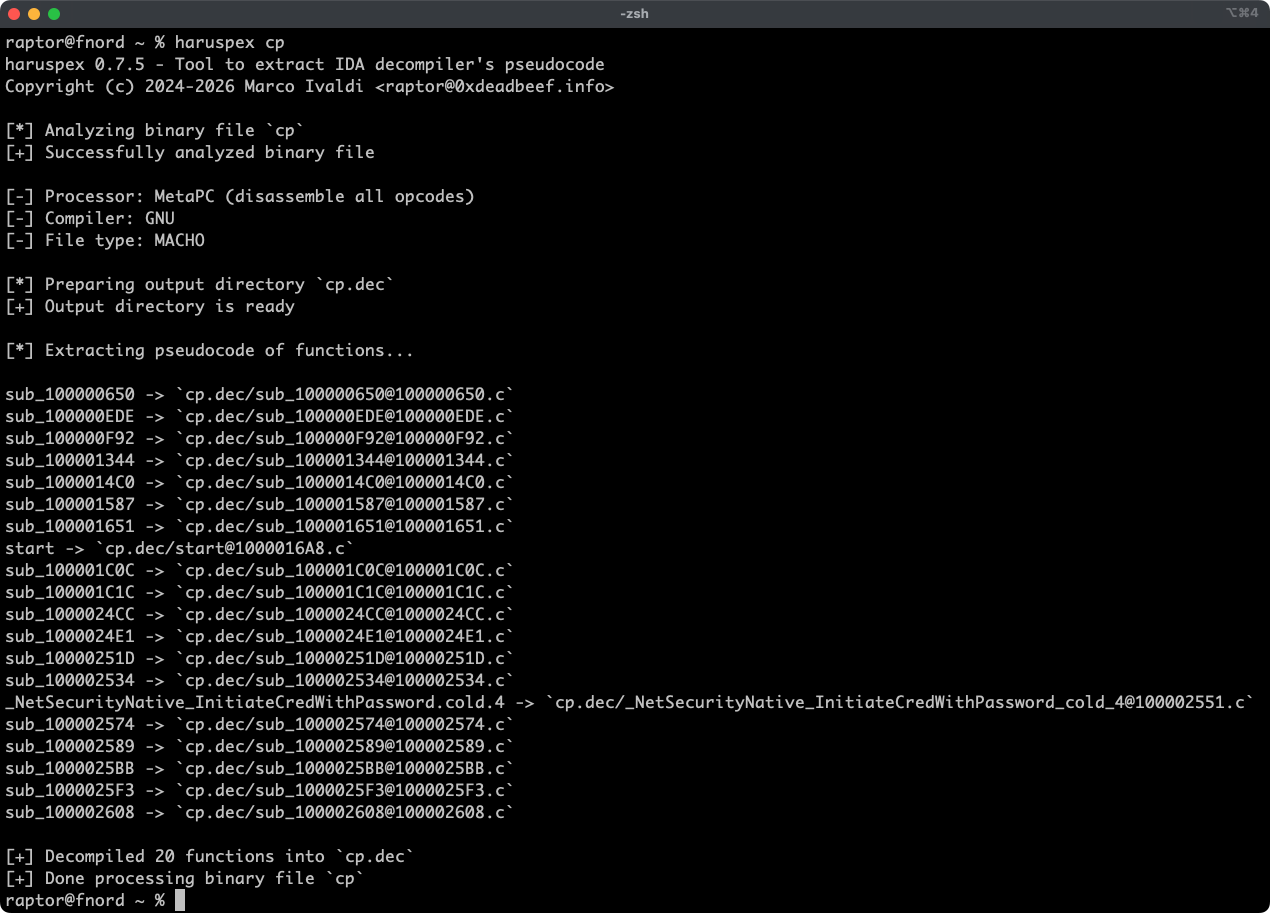
Haruspex is a blazing-fast IDA headless plugin that extracts pseudocode generated by IDA’s decompiler in a format that should be suitable to be imported into an IDE, or parsed by static analysis tools such as Semgrep, weggli, or oneiromancer.
§Features
- Blazing-fast, headless user experience courtesy of IDA 9.x and idalib-rs Rust bindings.
- Support for binary targets for any architecture implemented by IDA’s Hex-Rays decompiler.
- Pseudocode of each function is stored in a separated file in the output directory for easy inspection.
- Global and per-function type definitions are extracted to header files alongside the pseudocode.
- External crates can invoke
decompile_to_fileto decompile a function and save its pseudocode and type definitions to disk, telling apart functions that can’t be decompiled from errors such as an unavailable Hex-Rays license.
§Articles
- https://hex-rays.com/blog/streamlining-vulnerability-research-idalib-rust-bindings
- https://hnsecurity.it/blog/streamlining-vulnerability-research-with-ida-pro-and-rust
§See also
- https://github.com/0xdea/ghidra-scripts/blob/main/Haruspex.java
- https://github.com/0xdea/semgrep-rules
- https://github.com/0xdea/weggli-patterns
- https://docs.hex-rays.com/release-notes/9_0#headless-processing-with-idalib
- https://github.com/idalib-rs/idalib
- https://github.com/xorpse/parascope
- https://hnsecurity.it/blog/automating-binary-vulnerability-discovery-with-ghidra-and-semgrep
§Installing
The easiest way to get the latest release is via crates.io:
- Download, install, and configure IDA (see https://hex-rays.com/ida-pro).
- Install LLVM/Clang (see https://rust-lang.github.io/rust-bindgen/requirements.html).
- On Linux/macOS, install as follows:On Windows, instead, use the following commands:
export IDADIR=/path/to/ida # if not set, the build script will check common locations cargo install haruspex --locked$env:LIBCLANG_PATH="\path\to\clang+llvm\bin" $env:PATH="\path\to\ida;$env:PATH" $env:IDADIR="\path\to\ida" # if not set, the build script will check common locations cargo install haruspex --locked
§Compiling
Alternatively, you can build from source:
- Download, install, and configure IDA (see https://hex-rays.com/ida-pro).
- Install LLVM/Clang (see https://rust-lang.github.io/rust-bindgen/requirements.html).
- On Linux/macOS, compile as follows:On Windows, instead, use the following commands:
git clone --depth 1 https://github.com/0xdea/haruspex cd haruspex export IDADIR=/path/to/ida # if not set, the build script will check common locations cargo build --release --lockedgit clone --depth 1 https://github.com/0xdea/haruspex cd haruspex $env:LIBCLANG_PATH="\path\to\clang+llvm\bin" $env:PATH="\path\to\ida;$env:PATH" $env:IDADIR="\path\to\ida" # if not set, the build script will check common locations cargo build --release --locked
§Usage
- Make sure IDA is properly configured with a valid license.
- Make sure the
IDADIRenvironment variable is set if your IDA installation is in a non-standard location. - Run as follows:
haruspex <binary_file> - Find the extracted pseudocode and type definitions in the output directory next to
<binary_file>, named after it with its extension, if any, replaced by.dec(e.g.,foo.exeandfooboth producefoo.dec, so binaries that differ only in their extension share the same output directory):vim foo.dec code foo.dec
§Compatibility
Only the latest IDA release is officially supported, but older versions may work as well. The following table summarizes the latest compatible release for each IDA version:
| IDA version | Latest compatible release |
|---|---|
| v9.0.240925 | v0.2.4 |
| v9.0.241217 | v0.3.5 |
| v9.1.250226 | v0.6.2 |
| v9.2.250908 | v0.7.5 |
| v9.3.260213 | v0.8.1 |
| v9.3.260327 | v0.9.0 |
| v9.3.260421 | v0.9.3 |
| v9.4.260714 | current release |
| v9.4.260915 | current release |
[!NOTE] Check the idalib-rs documentation for additional information.
§Credits
This project’s development has been supported by the following organizations:
- HN Security
- Hex-Rays via their Contributor Program
§Changelog
§TODO
- Add a Semgrep CI regression test to make sure the percentage of parsed lines doesn’t decrease.
- Use the
.cppextension instead of.cto output pseudocode (see this issue)? - Implement serialized output to facilitate automated parsing and analysis.
- Integrate with Semgrep scanning (see https://github.com/0xdea/semgrep-rules).
- Integrate with weggli scanning (see https://github.com/0xdea/weggli-patterns).
- Improve decompiler output in the style of HexRaysPyTools and abyss.
- Implement parallel analysis (see https://github.com/fugue-re/fugue-mptp).
Structs§
- Dumped
Function - Files written for a decompiled function.
Enums§
- ArgHints
Mode - Argument name hints mode for function calls in pseudocode.
- Haruspex
Error - Haruspex error type.
Functions§
- decompile
- Decompiles
FunctionfuncinIDBidb. - decompile_
to_ file - Decompiles
FunctionfuncinIDBidband saves its pseudocode to the output file atfilepath, and its type definitions to a sibling file with a.hextension. - function_
name - Returns the name of
Functionfunc, or[no name]if it has none. - output_
path_ for_ function - Builds the output file path inside
dirpathfor the function namedfunc_nameataddr, i.e.,{sanitized func_name}@{addr:X}.c. - prepare_
output_ dir - Creates a fresh output directory at
dirpath, removing it first if it exists and is empty. - run
- Extracts pseudocode and type definitions of functions in the binary file at
filepath, and saves them in an output directory next to it, alongside a dump of all type definitions inall_types.h. - sanitize_
filename - Replaces reserved and control characters in
filenamewith underscores and truncates it to at mostMAX_FILENAME_LENbytes, on a character boundary.